Webinar Registration Pages: Design Elements That Fill Seats
Most webinar registration pages leak conversions because they treat the sign-up form as an afterthought rather than the centrepiece of a persuasion system. Get the design right and the same traffic that previously bounced will register, show up, and buy.
- A high-converting webinar registration page combines social proof, urgency, and a frictionless form — all above the fold where possible.
- The Canvas HTML Template and Bootstrap 5 give you the structural components to build a production-ready HTML registration page without starting from scratch.
- Reducing form fields to the minimum required and placing the CTA in the hero section consistently improves sign-up rates.
- Visual hierarchy, countdown timers, and speaker credibility blocks are the three layout decisions that have the largest measurable impact on attendance rates.
Why Most Webinar Registration Pages Fail
The core problem is structural, not cosmetic. Organisers copy a generic landing page template, drop in event details, and publish — without considering the specific psychological triggers that make someone commit to blocking out time in their calendar. A webinar is a time investment, not a free download. The page has to justify that investment before the visitor decides whether to scroll, let alone register.
The three most common failure points are: a headline that describes the webinar rather than the outcome the attendee will leave with; a form placed below lengthy speaker bios and agenda copy; and a complete absence of urgency or scarcity. Fix those three issues and conversion rates typically double before you touch a single design asset.
Hero Section: What Goes Above the Fold
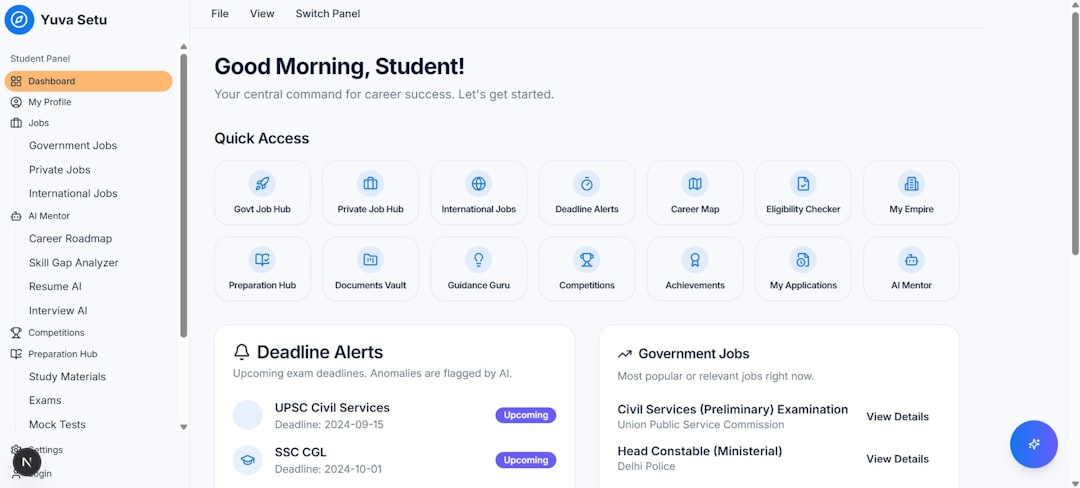
The hero section of a webinar registration page has one job: create enough desire and clarity that the visitor scrolls to the form — or, better still, sees the form immediately. A two-column Bootstrap 5 grid works well here. Left column: outcome-focused headline, two-line value proposition, date/time with timezone, and a single trust indicator such as a registrant count. Right column: the registration form itself.
<section class="py-5" style="background: var(--cnvs-header-bg);">
<div class="container">
<div class="row align-items-center g-5">
<div class="col-lg-6">
<span class="badge bg-danger mb-3">Live Webinar — 22 Jan 2026</span>
<h1 class="display-5 fw-bold mb-3">
Double Your SaaS Trial Conversions in 60 Minutes
</h1>
<p class="lead mb-4">
A practical, no-fluff session for founders and growth leads.
Join 1,240 registered attendees.
</p>
<p class="text-muted">Thursday 22 January · 2:00 PM GMT · 60 min</p>
</div>
<div class="col-lg-6">
<div class="card border-0 shadow-lg p-4">
<h5 class="mb-3">Secure your free seat</h5>
<form>
<div class="mb-3">
<input type="text" class="form-control" placeholder="First name">
</div>
<div class="mb-3">
<input type="email" class="form-control" placeholder="Work email">
</div>
<button type="submit" class="btn btn-danger w-100 py-3 fw-bold">
Reserve My Seat →
</button>
</form>
<p class="text-muted small text-center mt-3 mb-0">
No spam. Unsubscribe any time.
</p>
</div>
</div>
</div>
</div>
</section>Note the form asks for only two fields. Every additional field you add reduces completion rates. If you need company name or job title for segmentation, collect it on the confirmation page instead. If you want guidance on making the CTA button itself as persuasive as possible, the CTA button design guide covers the science behind copy, colour contrast, and size.
Speaker Credibility: Build Authority Without Padding
Attendees register for people as much as topics. A speaker block should communicate expertise in under five seconds. Use a circular headshot, name, title, company logo, and one specific credibility marker — a relevant metric, publication, or recognisable client name. Avoid paragraphs of biography; they slow the page and bury the signal.
<section class="py-5 bg-light">
  <div class="container text-center">
    <p class="text-uppercase text-muted small fw-semibold mb-4 ls-1">Your Host</p>
    <img src="images/speaker.jpg" alt="Speaker Name"
         class="rounded-circle mb-3"
         style="width:96px; height:96px; object-fit:cover;">
    <h5 class="mb-1">Sarah Okafor</h5>
    <p class="text-muted mb-1">VP Growth · Stackly</p>
    <p class="text-muted small">
      Helped 40+ B2B SaaS teams improve trial-to-paid rates.
      Featured in TechCrunch and Product Hunt.
    </p>
  </div>
</section>
For multi-speaker panels, a three-column grid keeps the layout scannable. The Bootstrap Grid Calculator can help you work out breakpoints quickly if you are balancing multiple cards at different viewport widths.
Urgency and Scarcity: Honest Tactics That Work
Countdown timers increase registration completion rates on event pages — provided the deadline is genuine. A JavaScript countdown to the webinar start time is entirely honest and extremely effective. Place it directly below the hero form card or inside the sticky header for maximum visibility.
<div id="countdown" class="d-flex gap-3 justify-content-center py-3 bg-dark text-white">
  <div class="text-center"><span id="cd-hours" class="fs-2 fw-bold">00</span><br><small>Hours</small></div>
  <div class="text-center"><span id="cd-mins" class="fs-2 fw-bold">00</span><br><small>Minutes</small></div>
  <div class="text-center"><span id="cd-secs" class="fs-2 fw-bold">00</span><br><small>Seconds</small></div>
</div>

<script>
  const target = new Date("2026-01-22T14:00:00Z").getTime();
  function tick() {
    const diff = target - Date.now();
    if (diff <= 0) return;
    document.getElementById("cd-hours").textContent =
      String(Math.floor(diff / 36e5)).padStart(2, "0");
    document.getElementById("cd-mins").textContent =
      String(Math.floor((diff % 36e5) / 6e4)).padStart(2, "0");
    document.getElementById("cd-secs").textContent =
      String(Math.floor((diff % 6e4) / 1e3)).padStart(2, "0");
  }
  tick(); setInterval(tick, 1000);
</script>
Seat limits are another legitimate scarcity signal for live Zoom or Teams sessions where you genuinely cap attendance. Display remaining seats dynamically if your registration backend supports it, or as a static number updated manually each day closer to the event.
Social Proof: What Convinces a Sceptical Visitor
Three types of social proof convert well on webinar registration pages in 2025 and into 2026: registrant counts (“1,400 people have already registered”), past attendee testimonials tied to specific outcomes, and logos of recognisable companies whose employees have attended. The last format works particularly well for B2B webinars targeting buyers at mid-market and enterprise organisations.
Keep testimonials short — one sentence with an attribution. Long quotes lose credibility because they read as marketing copy rather than genuine reactions. If you are building a more elaborate proof section, the same principles from our post on designing high-converting download pages apply: specificity beats generality, and faces outperform anonymous quotes every time.
Layout-wise, a single row of five to seven small company logos separated by adequate whitespace signals authority without requiring the visitor to read anything. Place this row either just below the hero or immediately above the second registration form anchor at the bottom of the page.
Closing Form Anchor: Capturing Late Converters
A significant portion of visitors reach the bottom of the page still undecided. A second registration form here — identical to the hero form — captures those late converters without asking them to scroll back to the top. Precede it with a brief summary of what they will learn, formatted as a short bulleted list rather than paragraph copy.
<section class="py-5" style="background-color: #f8f9fa;">
<div class="container">
<div class="row justify-content-center">
<div class="col-lg-6 text-center">
<h2 class="fw-bold mb-3">Ready to fill your pipeline?</h2>
<ul class="list-unstyled text-start d-inline-block mb-4">
<li class="mb-2">✓ <strong>3 proven frameworks</strong> for in-app onboarding</li>
<li class="mb-2">✓ Live Q&A with Sarah Okafor</li>
<li class="mb-2">✓ Free resource pack sent post-webinar</li>
</ul>
<div class="card border-0 shadow p-4">
<form>
<div class="mb-3">
<input type="text" class="form-control" placeholder="First name">
</div>
<div class="mb-3">
<input type="email" class="form-control" placeholder="Work email">
</div>
<button type="submit" class="btn btn-danger w-100 py-3 fw-bold">
Yes, Reserve My Free Seat →
</button>
</form>
</div>
</div>
</div>
</div>
</section>Using Canvas Builder to generate the initial layout of a page like this saves considerable time. You describe the sections you need — hero with split form, speaker block, logo strip, countdown, closing CTA — and receive a Canvas-compatible HTML structure ready to customise with your own copy, colours via –cnvs-themecolor, and imagery.
Frequently Asked Questions
How many form fields should a webinar registration page have?
Two fields — first name and email address — is the proven baseline for maximum conversion. Add a third field only if you have a specific segmentation need that directly changes the webinar experience for the registrant. Anything beyond three fields will measurably reduce completion rates.
Should I use a dedicated landing page template or a full website page?
A dedicated landing page template with no navigation links outperforms a standard website page for registration because there are no exit paths to distract the visitor. Remove the main navigation header from your webinar registration page entirely, or replace it with just the event logo and the registration CTA.
What is the best background colour for a webinar registration page?
High-contrast light backgrounds — white or very light grey — with a bold accent colour for the CTA button consistently outperform dark backgrounds for form-based pages. Dark backgrounds work well for hero sections when the rest of the page is light, creating a dramatic first impression without sacrificing form readability.
How do I build an HTML registration page using Canvas HTML Template?
Start with a block_section layout in Canvas for each component: hero, speaker, social proof, and closing form. Canvas is built on Bootstrap 5, so all the grid classes and utility classes shown in the code examples above work natively. Apply your brand colour via –cnvs-themecolor in your stylesheet and include style.css and css/font-icons.css as your CSS files, with js/plugins.min.js and js/functions.bundle.js as your script files.
Does page speed affect webinar registration conversion rates?
Yes, significantly. A registration page that loads in under two seconds on mobile can see conversion rates two to three times higher than a slow-loading equivalent, because the audience registering for a professional webinar is often on a work device with high expectations. Compress images, avoid third-party script bloat, and never load Bootstrap CDN separately if you are using Canvas HTML Template — it already bundles Bootstrap 5.
If you’re working with the Canvas HTML Template and want to generate production-ready layouts faster, try Canvas Builder free and see how much time you save on every project.