Most people encounter the terms UI and UX together, yet treat them as interchangeable — they are not, and confusing the two leads to poor hiring decisions, misaligned briefs, and products that look polished but feel broken to use. Understanding what each discipline actually covers is the first step toward building interfaces that genuinely work.
- UI (User Interface) design focuses on visual elements — colour, typography, spacing, and components — while UX (User Experience) design focuses on the overall journey, structure, and usability of a product.
- The two roles overlap significantly in practice, but each has a distinct skill set and deliverable type that teams should understand before hiring or upskilling.
- Learning UI/UX in 2026 is highly practical: hands-on projects, working with real HTML templates, and studying established design systems will accelerate your progress faster than theory alone.
- Good UX principles — clear hierarchy, minimal friction, logical layout — translate directly into code decisions when building with frameworks like Bootstrap 5.
What UI Design Actually Means
UI stands for User Interface. It is everything the user sees and interacts with directly: buttons, form fields, navigation menus, typography, colour palettes, icon sets, and spacing. A UI designer’s primary responsibility is visual communication — making sure that every on-screen element looks intentional, consistent, and immediately understandable.
UI design exists at the intersection of graphic design and front-end thinking. A competent UI designer does not just produce pretty mockups; they understand states (hover, active, disabled, error), component reuse, and how a design system scales across dozens of screens. In practical terms, a UI designer typically delivers:
- High-fidelity mockups in Figma, Sketch, or Adobe XD
- A component library or design token set
- Responsive layout specifications for developers
- Accessibility-compliant colour contrast and type sizing
When you are working with an HTML template like the Canvas HTML Template, you are largely working within the UI layer — adjusting colours via CSS variables, choosing section layouts, and tuning typography. For example, changing the primary brand colour across the entire Canvas template requires a single variable override:
:root {
  --cnvs-themecolor: #e63946;
  --cnvs-themecolor-rgb: 230, 57, 70;
  --cnvs-primary-font: 'Inter', sans-serif;
}
That single block propagates your brand colour to buttons, links, section accents, and hover states — which is exactly how a mature UI system should behave.
What UX Design Actually Means
UX stands for User Experience. Where UI asks “does this look right?”, UX asks “does this work right for the person using it?”. UX design is concerned with the full journey a user takes — from arriving on a page, to completing a goal, to returning in the future.
UX designers work earlier in the product process than UI designers. Their typical deliverables include:
- User research (interviews, surveys, usability testing)
- Personas and journey maps
- Information architecture (site structure, navigation logic)
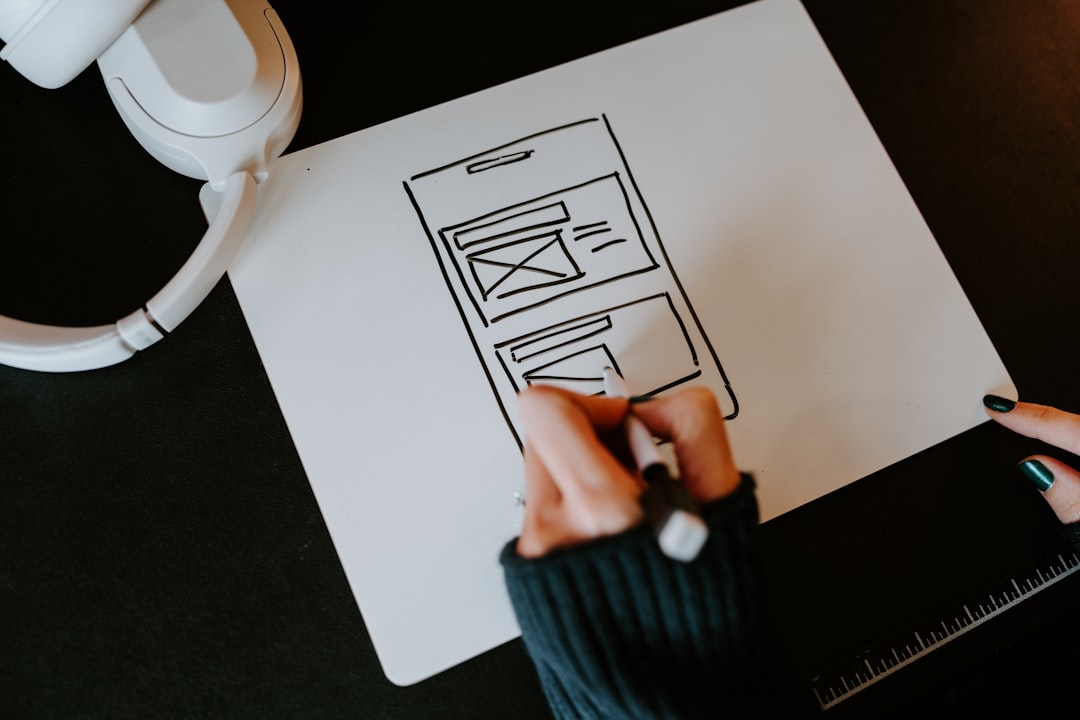
- Wireframes and low-fidelity prototypes
- Heuristic evaluations and accessibility audits
A UX decision that directly affects code is above-the-fold layout priority — what the user sees without scrolling determines whether they stay. This is a structural content decision before it is ever a visual one. For a deeper look at how first impressions affect conversion, the post on above the fold design covers the UX rationale in detail.
UI vs UX: Key Differences Side by Side
The table below summarises the most practical distinctions between the two disciplines for anyone building or briefing a project in 2026:
| Dimension | UI Design | UX Design |
|---|---|---|
| Primary question | Does it look right? | Does it work for the user? |
| Deliverables | Mockups, design systems, style guides | Wireframes, journey maps, research reports |
| Tools | Figma, Sketch, Adobe XD | Miro, Maze, Optimal Workshop, pen and paper |
| Timing in project | After structure is defined | Before visual work begins |
| Success metric | Visual consistency, brand alignment | Task completion rate, reduced friction |
| Overlap with code | High — CSS, component libraries | Medium — IA affects URL structure, navigation |
In smaller teams and freelance contexts, one person often covers both roles. That is practical, but it requires discipline — doing UX research before jumping into visual design, not after.

How UI/UX Principles Appear in HTML Template Work
For developers and designers working with Bootstrap 5-based templates, good UI/UX is not abstract — it shows up in layout decisions, spacing, and component structure. Consider a standard hero section built with Bootstrap’s grid and Canvas utilities:
<section class="section bg-light py-6">
  <div class="container">
    <div class="row align-items-center gx-5">
      <div class="col-lg-6">
        <h1 class="display-4 fw-bold mb-3">Solve the Problem First</h1>
        <p class="lead text-muted mb-4">
          A headline that addresses the user's goal converts better than one
          that leads with your product name.
        </p>
        <a href="#" class="button button-large button-rounded button-fill">
          Get Started Free
        </a>
      </div>
      <div class="col-lg-6">
        <img src="images/hero-illustration.svg" alt="Product overview" class="img-fluid">
      </div>
    </div>
  </div>
</section>
The UX decision here is the headline copy — leading with user benefit rather than brand name. The UI decision is the visual weight hierarchy: a bold display headline, muted supporting text, and a high-contrast CTA button. Both must be right for the page to perform. The typography hierarchy guide for HTML templates explains how to structure type scale so these decisions are consistent across every page.
Roles, Career Paths, and What Employers Actually Want
The job market for UI/UX in 2026 has matured considerably. Employers now distinguish between:
- UX Researcher — focused entirely on user research, testing, and data synthesis
- UX Designer — information architecture, wireframing, prototyping, and testing
- UI Designer — visual design, component systems, handoff to developers
- Product Designer — a hybrid role covering the full product cycle from research to visual design
- UX Writer — microcopy, error messages, onboarding flows, and content strategy
For freelancers, the most commercially useful combination is UX strategy plus UI execution — understanding what the page needs to achieve, then building it to look and feel that way. This is exactly the workflow described in the freelancer’s guide to delivering HTML templates to clients, where the design process feeds directly into template selection and customisation decisions.
How to Learn UI/UX Design in 2026
The most effective learning path for UI/UX combines structured theory with immediate hands-on output. Here is a practical progression:
- Study design fundamentals — colour theory, typography, grid systems, and visual hierarchy. These do not become outdated.
- Learn Figma — it is the industry standard tool for both UI mockups and UX prototyping as of 2026.
- Build real pages — work with a production-quality HTML template to understand how design decisions translate into code. Trying to learn design in isolation from real implementation slows progress.
- Practice heuristic evaluation — take any live website and document its usability issues using Nielsen’s 10 heuristics. This trains your UX eye faster than any course.
- Add Bootstrap fluency — since most professional HTML projects run on Bootstrap 5, understanding the grid and utility class system makes your designs genuinely buildable.
For a structured introduction to Bootstrap layout — which underpins most modern UI work — the Bootstrap 5 grid system beginner’s guide is a practical starting point that takes you from concept to working columns.
A simple CSS exercise that reinforces UI thinking is creating consistent spacing with custom properties — something that scales immediately to real project work:
:root {
  --space-xs: 0.5rem;
  --space-sm: 1rem;
  --space-md: 1.5rem;
  --space-lg: 2.5rem;
  --space-xl: 4rem;
}

.section-header {
  margin-bottom: var(--space-lg);
}

.card-body {
  padding: var(--space-md);
}

.btn + .btn {
  margin-left: var(--space-sm);
}
Defining a spacing scale upfront — rather than using arbitrary pixel values — is both a UX principle (consistency reduces cognitive load) and a UI discipline (design tokens make components reusable).
Frequently Asked Questions
Is UI design or UX design harder to learn?
Neither is inherently harder, but they require different aptitudes. UI design rewards visual thinking, attention to detail, and comfort with design tools. UX design rewards analytical thinking, empathy, and comfort with ambiguity. Most beginners find UI more immediately tangible because the output is visible, while UX results take longer to measure.
Can one person do both UI and UX on a project?
Yes, and in freelance and startup contexts this is common. The risk is skipping UX research to jump straight into visual design. If you are covering both roles, force yourself to produce at least a simple user flow or wireframe before opening a design tool or touching an HTML template.
Do UI/UX designers need to know how to code?
Coding is not required, but HTML and CSS literacy significantly improves a designer’s effectiveness. Understanding what is easy and hard to build in Bootstrap 5, for example, prevents you from designing layouts that frustrate developers and end up changed without your input.
What is the difference between a UX designer and a product designer?
Product designer is a broader title that typically encompasses UX research, information architecture, visual design, and sometimes light front-end work. In many companies the two titles are used interchangeably, but product designer roles often expect more business strategy involvement alongside design execution.
How long does it take to become job-ready in UI/UX?
With consistent daily practice, most people can build a portfolio of 3-4 strong case studies within 6-12 months. The portfolio matters more than certifications. Employers want to see your process — research, wireframes, final UI — not just finished screens.
If you’re working with the Canvas HTML Template and want to generate production-ready layouts faster, try Canvas Builder free and see how much time you save on every project.
Build it by describing it
Canvas Builder turns a plain-English description into a complete, responsive website in minutes, then hands you the clean Bootstrap 5 HTML to host anywhere.