Startup Website Templates
Build startup websites that attract users, investors, and press: featuring product demos, founder credibility, waitlist capture, and clean modern design that signals serious execution.
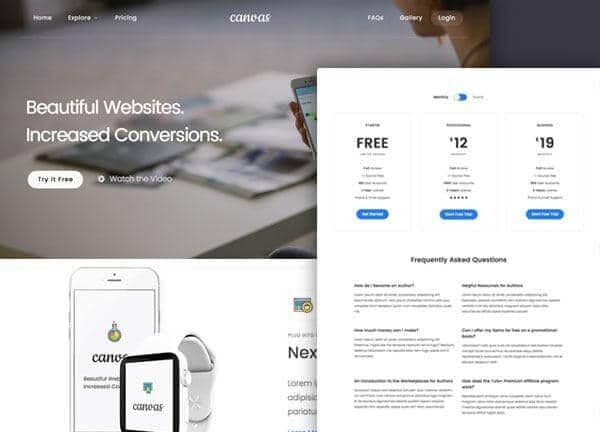
Example output
40
industry templates
1,938+
prompt templates
About 3 minutes
to build a page
Designing a startup website: what works
Startup websites serve a unique multi-audience challenge: they must convert prospective users, impress investors, attract talent, and generate press interest, all from the same URL. The design must signal both 'we're solving a real problem' and 'we're competent enough to actually build the solution'.
Problem-First Framing
The most effective startup websites lead with the problem, not the product. Start with the pain point your target user feels daily: expressed in their language, not yours. Then introduce your solution as the inevitable answer. This narrative arc makes visitors feel understood before they're sold to.
Traction and Social Proof for Early-Stage Companies
Pre-launch startups can still show traction: waitlist size ('2,847 people waiting'), beta user testimonials, press mentions, Y Combinator or accelerator badges, notable investor logos, and founding team credentials. Even with no product yet, these signals dramatically increase visitor confidence and waitlist conversion.
Product Visualisation Without a Finished Product
Pre-launch startups can show mockups, design prototypes, or a 'demo mode' screen recording. Realistic-looking UI mockups at the right stage of fidelity signal execution capability. Avoid abstract concept art or vague stock photos: specificity about your product (even if it's not fully built) builds credibility.
Investor and Press Signals
If you have investor logos, accelerator program badges, or press coverage ('As seen in TechCrunch'), display them strategically. These signals validate your credibility for both users (is this real?) and potential hires (is this worth joining?). A dedicated 'Press' or 'Investors' page for larger rounds is appropriate.
Ready to build?
Describe your startup website in plain English and Canvas Builder builds it, ready to edit and export. No design skills needed.
5 design tips for startup websites
Lead with a waitlist or early access signup
Before launch, an email capture for waitlist access is more valuable than any other conversion metric. Position it prominently with a social proof hook: '3,200+ on the waitlist. Join them'.
Show the founder's face and story
Personal credibility from a recognisable founder (LinkedIn link, photo, brief bio) converts at significantly higher rates for early-stage products. People invest in founders as much as products at the pre-product stage.
Demonstrate the product clearly
A 60-second product demo video or an interactive prototype embed (Figma, Framer) reduces uncertainty about what the product actually does. Vague product descriptions are the #1 reason early visitors don't convert to users.
Make the problem statement visceral
The more specifically you can articulate the pain your product solves, 'Spending 3 hours per week copy-pasting data between spreadsheets?', the more qualified visitors self-identify and engage. Generic problem statements ('streamline your workflow') motivate no one.
Include a pricing page even pre-launch
A 'Pricing: coming soon' or 'Planned pricing' page signals serious intent and helps investors and early users understand your business model. Hiding future pricing plans creates uncertainty that prevents early adopters from committing.
Try this prompt
Use it as it is, or change the names, colours and sections to match your business.
Create a full-page startup website for 'Canopy', a B2B SaaS tool that automates regulatory compliance reporting. Use a clean white and deep forest green palette. Floating header. Hero with problem-first headline 'Compliance reporting takes 12 hours a week: we cut it to 12 minutes' and a waitlist email capture form showing '1,843 on waitlist'. Product UI mockup on the right. A feature highlights section. Founder profiles. A press mentions strip (TechCrunch, Forbes, Y Combinator). And a FAQ section.Frequently asked questions
What should a startup website have before product launch?
Pre-launch must-haves: clear problem-solution statement, product screenshots or demo video, email capture for waitlist or beta access, founder credentials and story, social proof (waitlist size, press, accelerator), and a FAQ answering 'how does it work?' and 'when does it launch?'
Should I show pricing on my startup website?
Show indicative pricing or your pricing model even pre-launch. 'Freemium + paid plans from $X/mo' gives investors, press, and early users enough to understand your monetisation strategy. A dedicated pricing page with 'Launch pricing: coming soon' is perfectly acceptable.
How do I get press coverage through my website?
Create a dedicated Press or Media Kit page with: company overview, founder photos (hi-res), product screenshots, key statistics, and a direct press contact email. Journalists on deadline need this information immediately, making it easy to find dramatically increases coverage likelihood.
What's the most important conversion on a startup website?
At pre-launch stage: email capture for waitlist or early access. At launch: first activation (signup + first meaningful action in product). For B2B startups: a demo request. Design your hero CTA around your current stage: the most important conversion changes as you grow.
How do I make my startup website look credible if we're pre-revenue?
Focus on specificity rather than scale: specific problem statements, specific team backgrounds, specific product screenshots, specific waitlist numbers. Vague claims ('disrupting the industry') erode credibility. Honest, specific claims about where you are in the journey, even if early, build it.
Related templates
SaaS Landing Page Templates
Build conversion-optimised SaaS landing pages with feature showcases, pricing tiers, testimonials, and compelling CTAs, all generated from a single prompt.
View templates →Agency Website Templates
Build agency websites that impress prospects and win pitches: featuring case study showcases, service capabilities, team culture, and results-focused conversion design.
View templates →AI Tool Website Templates
Build AI product websites that convert, with live demo showcases, before/after comparisons, technical feature grids, and modern design language that signals serious AI engineering.
View templates →Build your startup website in minutes
Describe what you need. Canvas Builder writes production-ready Bootstrap 5 HTML on the Canvas design system, ready to publish or export.