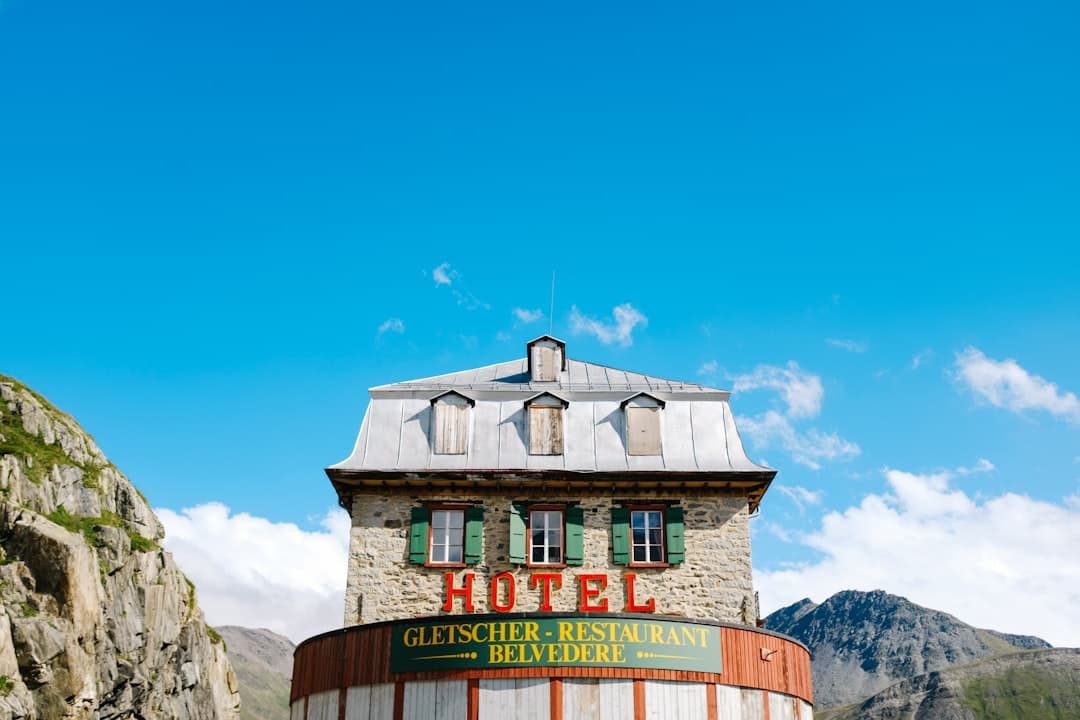
Most hotel websites lose bookings before a visitor even reaches the reservation form, not because of price, but because the design fails to build trust fast enough. In a sector where a guest is deciding whether to hand over hundreds of pounds based on a few web pages, every layout decision carries real commercial weight.
- Hotel web design must establish trust visually within the first three seconds, before any copy is read.
- A well-structured hero section, clear room hierarchy, and frictionless booking flow are the three highest-impact design decisions for conversion.
- The Canvas HTML Template paired with Bootstrap 5 gives you a production-ready foundation without starting from scratch.
- Typography, colour variables, and mobile responsiveness are not aesthetic choices in hospitality web design, they are conversion factors.
What Makes Hospitality Web Design Different from Other Industries
Hospitality websites sell an experience before it happens. Unlike a SaaS product page or an e-commerce store, a hotel website must create an emotional response, remove doubt, and push the visitor toward a booking decision, all at the same time. That creates a specific design challenge: you need to be aspirational and functional in equal measure.
The three signals guests use to evaluate a hotel website unconsciously are visual quality, social proof density, and booking ease. If any of these fail, the visitor bounces to OTA platforms like Booking.com, where you lose the margin on every room sold. A strong direct-booking website is therefore not a branding exercise, it is a revenue protection strategy.
If you are coming from a vacation rental background, the principles in How to Build a Direct Booking Website for Your Vacation Rental are directly transferable to boutique hotel projects, especially around trust signals and booking widget placement.
Hero Section Design: Selling the Stay Before the Scroll
The hero section of a hotel website does more heavy lifting than any other element on the page. It needs to communicate property quality, location, and atmosphere in a single visual impression. A full-viewport image or video background is standard for good reason: it removes abstraction and puts the guest inside the property immediately.
Key decisions for your hotel hero section:
- Image selection: Use the most emotionally resonant shot, typically the main pool, lobby, or signature suite, not the exterior unless it is architecturally striking.
- Overlay and contrast: A semi-transparent dark overlay (around 40-55% opacity) keeps text legible without killing the image impact.
- Headline brevity: Five words or fewer. “Where the Sea Meets Silence” outperforms “Welcome to Our Beautiful Beachfront Hotel”.
- CTA placement: A single high-contrast booking button in the hero, not a menu of options.
Here is a working Canvas-compatible hero section using Bootstrap 5 grid and Canvas CSS variables:
<section class="section-hero vh-100 d-flex align-items-center" style="background: url('images/hotel-hero.jpg') center/cover no-repeat;">
  <div class="overlay" style="position:absolute;inset:0;background:rgba(0,0,0,0.45);"></div>
  <div class="container position-relative text-white text-center">
    <h1 class="display-4 fw-bold mb-3">Where the Sea Meets Silence</h1>
    <p class="lead mb-4">Boutique luxury on the Amalfi Coast. 12 rooms. Zero compromises.</p>
    <a href="#booking" class="btn btn-lg px-5 py-3" style="background-color: var(--cnvs-themecolor); color: #fff; border-radius: 4px;">Check Availability</a>
  </div>
</section>
For a deeper treatment of hero design principles, the guide on designing hero sections that grab attention instantly covers contrast ratios, CTA copy psychology, and layout hierarchy in detail.
Room and Amenity Layout Patterns That Convert
Once a visitor scrolls past the hero, they are evaluating rooms. The layout pattern you choose here directly affects whether they continue to the booking step. Three patterns work consistently in hospitality web design in 2026:
- Card grid with persistent CTA: Each room type gets a card with an image, room name, key features (bed size, view, capacity), price anchor, and a “Book This Room” button. Bootstrap’s
col-md-4grid gives you a clean three-column layout on desktop. - Full-width alternating rows: Image left, details right, then flip for the next room. Works well for properties with fewer than five room types where you want each to feel premium.
- Tabbed room browser: Tabs for room categories (Standard, Deluxe, Suite) keep the page length manageable for larger properties.
For the card grid, Canvas and Bootstrap 5 make this straightforward:
<section id="rooms" class="py-6">
  <div class="container">
    <div class="row g-4">
      <div class="col-md-4">
        <div class="card border-0 shadow-sm h-100">
          <img src="images/room-deluxe.jpg" class="card-img-top" alt="Deluxe Sea View Room">
          <div class="card-body">
            <h3 class="h5 fw-bold">Deluxe Sea View</h3>
            <p class="text-muted small">King bed · 32m² · Private balcony</p>
            <p class="fw-bold" style="color: var(--cnvs-themecolor);">From £220 / night</p>
            <a href="#booking" class="btn btn-sm w-100" style="background-color: var(--cnvs-themecolor); color: #fff;">Book Now</a>
          </div>
        </div>
      </div>
    </div>
  </div>
</section>
Typography and Colour: Matching the Brand Tier
Font choice signals price tier immediately. Budget properties can use clean geometric sans-serifs. Mid-range boutique hotels benefit from pairing a serif display font with a readable sans-serif for body copy. Luxury properties should lean into editorial typefaces with generous line height and letter spacing.
In Canvas, you set your font stack via CSS variables:
:root {
  --cnvs-primary-font: 'Cormorant Garamond', Georgia, serif;
  --cnvs-secondary-font: 'DM Sans', Helvetica, sans-serif;
  --cnvs-themecolor: #8b6f47;
  --cnvs-themecolor-rgb: 139, 111, 71;
}
The warm brown #8b6f47 works well for boutique and heritage properties. Coastal properties often use deep navy or teal. Always test your theme colour against white text at a contrast ratio above 4.5:1 to meet WCAG AA accessibility standards.
For curated Google Font pairing recommendations that work specifically for hospitality and lifestyle brands, the Best Google Font Pairings for Web Design (2026) guide covers options across price tier and aesthetic.
Trust Signals and Social Proof: Removing the Last Objection
Guests do not book hotels they do not trust. In 2025 and 2026, trust signals on hotel websites follow a reliable hierarchy of effectiveness:
- Real guest reviews with dates, pulled from Google or TripAdvisor via embed or API, not manually curated testimonials without attribution.
- Award badges and press mentions, positioned near the fold, not buried in the footer.
- High-resolution photography, preferably from a professional shoot rather than phone images, because visual quality is a proxy for overall quality.
- Booking volume indicators (“14 people viewed this property today”) if your booking engine supports them.
- Clear cancellation policy visible on the booking step, not hidden in terms and conditions.
A reviews strip using Bootstrap flexbox keeps social proof visible without dominating the layout. You can use the CSS Flexbox Generator to prototype the alignment before coding it by hand.
Building a Hotel Website with Canvas HTML Template and Canvas Builder
Starting a hotel website from blank HTML means weeks of layout work before you can show a client anything meaningful. The Canvas HTML Template provides a structured, Bootstrap 5-based foundation with pre-built section patterns, navigation styles, and responsive components that map directly to hospitality use cases: full-screen heroes, card grids, testimonial sliders, and sticky headers with your logo sized via --cnvs-logo-height.
Canvas Builder accelerates this further by letting you describe your hotel concept in plain language and generating a production-ready HTML layout using the correct Canvas structure. A prompt like “boutique coastal hotel, luxury tier, 8 room types, direct booking focus, warm sand and navy palette” produces a scaffold you can hand to a developer or customise yourself, without touching layout code from scratch.
The output uses Canvas’s correct JS files (js/plugins.min.js and js/functions.bundle.js), the right CSS references (style.css and css/font-icons.css), and Canvas CSS variables throughout, so you are never fighting the template’s architecture.
For a detailed walkthrough of this workflow from prompt to deployed layout, see From Prompt to Production: A Real Canvas Builder Workflow.
Frequently Asked Questions
What is the most important page on a hotel website for conversions?
The rooms or accommodation page consistently drives the highest booking intent. Visitors use it to verify that the property meets their expectations before committing. Prioritise clear photography, honest descriptions, and a persistent booking CTA on this page above all others.
Should I use a booking widget or a custom booking form on my hotel website?
For most independent hotels, a third-party booking engine (such as Cloudbeds, Little Hotelier, or Checkfront) embedded via widget is the right choice. It handles availability, payment, and confirmation logic that would take months to build custom. Design the widget container to match your site’s colour scheme using --cnvs-themecolor if the engine allows CSS customisation.
How do I make my hotel website load fast without reducing image quality?
Serve images in WebP format at the correct display dimensions. For a full-viewport hero at 1920px wide, you do not need a raw 6000px export. Use loading="lazy" on below-the-fold images, and preload the hero image in your <head> with a <link rel="preload"> tag. Canvas’s bundled JS already defers non-critical scripts, so avoid loading additional libraries unnecessarily.
Is the Canvas HTML Template suitable for a hotel website project in 2026?
Yes, particularly for boutique and independent properties. Canvas is built on Bootstrap 5, includes a wide range of pre-built layout components relevant to hospitality (hero sections, galleries, testimonial blocks, pricing tables), and its CSS variable system makes brand customisation straightforward. The main limitation is that it is a static HTML template, so dynamic availability and booking functionality requires a third-party widget or back-end integration.
How many pages does a hotel website typically need?
A functional hotel website requires at minimum: Home, Rooms and Suites, Dining (if applicable), Facilities and Amenities, Location and Getting Here, Gallery, and a Contact or Book Direct page. Larger properties often add separate pages for weddings, events, and spa services. Keep navigation to the top six or seven items maximum to avoid decision paralysis.
If you’re working with the Canvas HTML Template and want to generate production-ready layouts faster, try Canvas Builder free and see how much time you save on every project.